3 min read
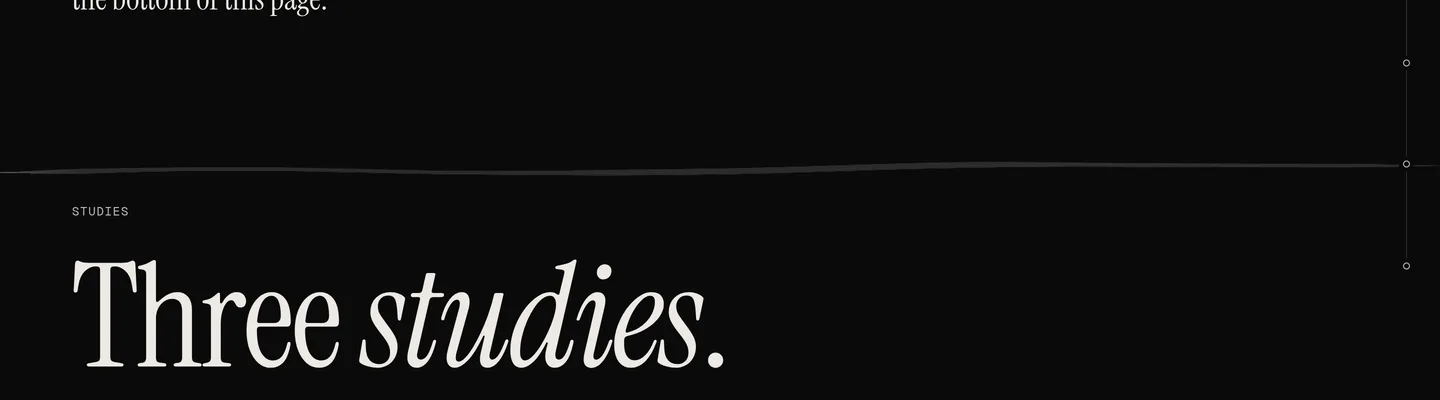
Every chapter of this site opens with a hairline above its label. For a long time the ribbon simply changed shape at the boundary, and the hairline sat there as a second, unrelated line. Now the two are one line: at each hand-over on a wide screen, the ribbon narrows onto the incoming hairline, lies on it for a moment as a thread, and lifts off into the next chapter's shape.
A thread, not a rod
The first version laid a straight bar over the rule, and people read it as a stick on its way down. The pose it lies in now runs a little past both ends of the rule, tapers to a point at each, and keeps a slack of a few pixels along its length, the way a thread lies on a table.
// the pose on a rule, seven points along its width
const over = Math.min(90, width * 0.08);
const pts = [0, 1, 2, 3, 4, 5, 6].map((i) => [
  x0 - over + ((width + 2 * over) * i) / 6,
  wy + (i === 0 || i === 6 ? 0 : 3.5 * Math.sin(i * 1.7 + 0.5)),
  0,
]);
// width = 1296  over = 90
// pts = [-90, 0] [156, 2.8] [402, -2.4] [648, -2.2] [894, 3] [1140, 1.4] [1386, 0]The line steps aside
While the thread lies on a rule, the rule's own element fades out in 200 ms and comes back over most of a second when the thread leaves, so the page never shows two lines where there is one. On every page but the home page and the contact page, the last hand-over is onto the footer's rule, timed to the end of the scroll, and the thread stays there.
Nothing here is animated on a clock. Every pose is a function of the scroll position, so scrolling back up plays the whole thing backwards, which is what the link above the footer does.
Where the object does not come down onto the rules, on the paper of the case studies and on a phone, the rule itself carries the thread: it is drawn over from the left as the reading reaches it, and a bead settles where it ends. On a phone the same line runs into the submit button at the end of the form.